


S22 Ultra One UI 7 update is here, and if you’re like me, you’re probably eager to discover the exciting new features and improvements it brings to your device. Well, I’m thrilled to share that the highly anticipated One UI 7 update has finally rolled out, bringing with it some amazing new features and improvements. In this article, I’m going to dive into what I think are the top changes that come with this update. Let’s take a closer look at how these changes will give your device a fresh and smoother experience.
S22 Ultra One UI 7 Smoother Animations for a Faster, More Fluid Experience
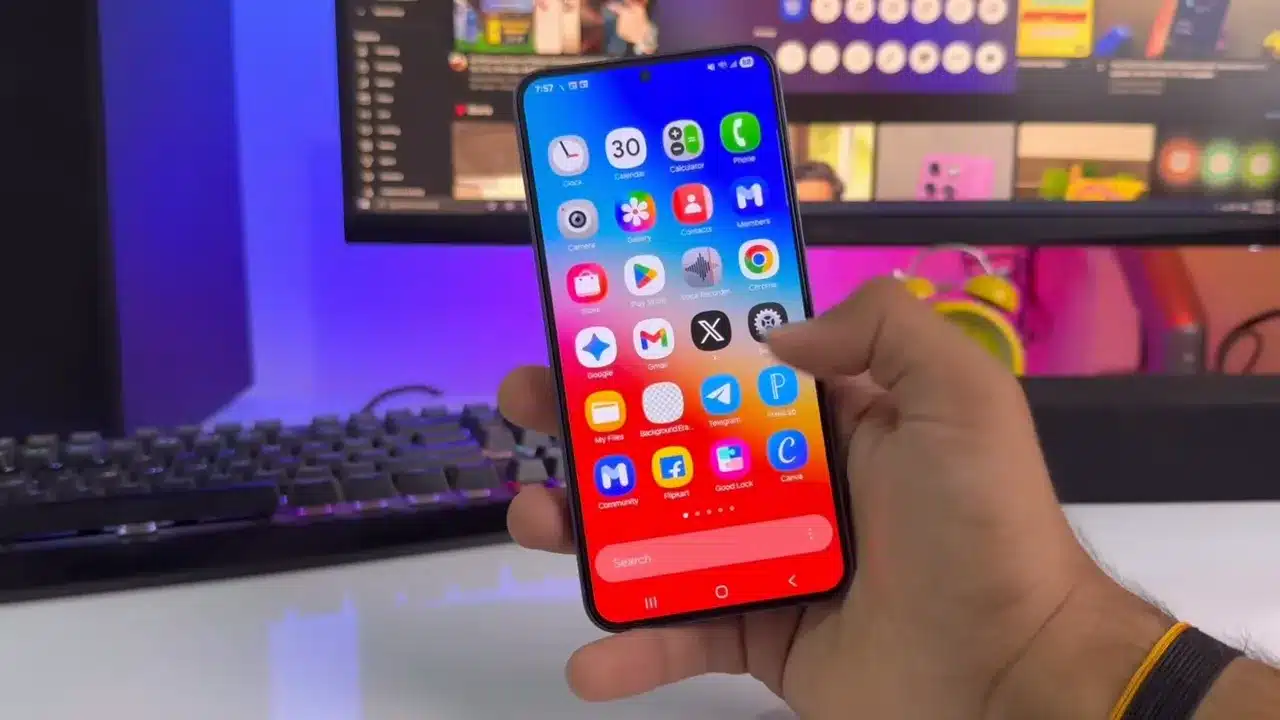
The first noticeable change I experienced after installing the One UI 7 update is the smoother animations. If you’ve been using your S22 Ultra for a while, you’ll know that sometimes, transitions between apps or the opening/closing of apps can feel a bit sluggish. With One UI 7, these animations are much smoother, making your device feel snappier and more responsive. It’s a small change that really makes a big difference in terms of user experience, and I genuinely feel like my S22 Ultra feels like a brand-new device again.
A Redesigned Control Panel for Easy Access
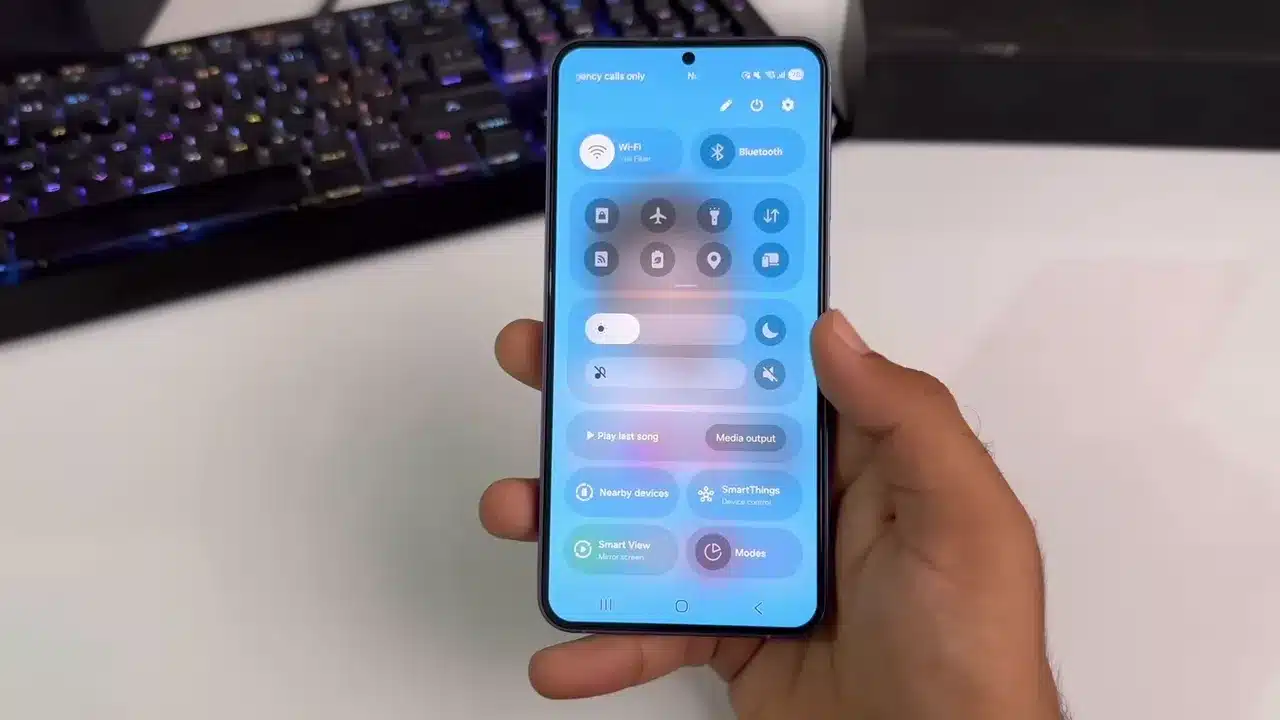
One of the most noticeable changes is the redesigned control panel. It looks cleaner, more modern, and more organized. In my experience, navigating through the control panel feels quicker and more intuitive now. The toggle buttons for Wi-Fi, Bluetooth, and other essential settings have been revamped, offering a much more pleasant interface. I can easily access everything I need without feeling overwhelmed by clutter, which makes multitasking much smoother.
Fresh New Look with Redesigned App Icons
If you love a fresh look, you’re in for a treat! The S22 Ultra One UI 7 update brings redesigned app icons, and I have to say, they really give the device a refreshed feel. Every app icon now looks cleaner and more polished, giving the S22 Ultra a modern and stylish appearance. Even though it’s a small change, it significantly enhances the overall aesthetic of the phone. It’s a nice touch that makes your device feel more up-to-date and appealing.
Camera App Gets a Major Revamp
For those of us who love to take photos, the redesigned camera app is one of the most exciting changes. After updating to S22 Ultra One UI 7, I noticed how much cleaner and more organized the camera interface looks. The user-friendly layout makes it easier to access different camera modes, and it just feels more intuitive overall. The new design gives the app a sleek, modern vibe, and I appreciate how well Samsung has managed to declutter it without compromising on functionality.
Now Bar: Live Activities at Your Fingertips
One of the unique features that caught my attention is the “Now Bar.” This feature, which previously debuted with the Galaxy S25 series, is now available for the S22 Ultra as part of S22 Ultra One UI 7. With the Now Bar, you can easily access live activities happening on your device. Whether it’s live sports scores, calendar events, or social media updates, everything is displayed in a handy, always-visible bar. This feature adds a layer of convenience, and it’s one of those small yet useful tweaks that makes your device feel more connected to your day-to-day activities.
Redesigned Widgets for a Cleaner, Neater Home Screen
Widgets have also received an update at S22 Ultra One UI 7. If you like to keep widgets on your home screen, you’ll love the redesigned look. The widgets are now cleaner and more organized, giving your home screen a more polished and tidy appearance. The updated widgets are easier to interact with and offer a more consistent visual experience across the device. It’s a simple change, but it makes the overall user experience feel more seamless.
Android 15 Update Comes Along with One UI 7
In addition to the One UI 7-specific changes, this update also brings Android 15, which comes with its own set of new features and improvements. This brings enhanced security, better performance, and more customization options for your device. While One UI 7 focuses on improving the Samsung experience, Android 15 brings improvements under the hood, making your S22 Ultra even more powerful and efficient.
New Charging Animation: A Fun Touch
This one may seem trivial, but trust me, it’s a fun new feature. The charging animation has been revamped in S22 Ultra One UI 7. Instead of the standard, static charging screen, you now get a dynamic and visually engaging animation while your phone charges. It’s a nice, playful touch that adds a bit of personality to your phone every time you plug it in.
A More Refined Overall User Interface
Overall, the One UI 7 update brings a more refined user interface to the Galaxy S22 Ultra. Samsung has worked hard to declutter and streamline the UI, making everything feel more cohesive and easier to navigate. The changes might seem small individually, but they add up to a significantly better experience when you’re using your phone day-to-day.
Final Thoughts
So, there you have it! These are some of the top changes I’ve noticed after updating my Samsung Galaxy S22 Ultra to One UI 7. From smoother animations to a redesigned control panel, new app icons, and an updated camera app, this update brings a fresh new feel to your device. Whether you’re a heavy user or just someone who wants a smoother experience, the S22 Ultra One UI 7 update is definitely worth checking out.
If you haven’t received the update yet, don’t worry—it’s being rolled out in phases and should reach your device soon. In the meantime, let me know in the comments whether you’ve received the update and what you think of the new features. As always, I’ll keep you posted on the latest updates, so don’t forget to like and subscribe for more tech content.